


The power is in the software.
Updated yearly
The possibilities of what you can do with your scanner are constantly growing with annual updates to Artec Studio.
Each new version of the software boosts the capabilities of Artec 3D scanners and the quality of the data they can capture.
Experience the power of professional 3D scanning software - whether you're just starting or ready to level up.
Artec Studio 20 makes 3D capture easy, flexible, and future-proof.

Easy to learn
Artec Studio offers an intuitive interface and a well-structured set of tools, making it accessible to users with different levels of experience. Common scanning and processing tasks can be learned efficiently, supporting reliable handling of 3D data with minimal onboarding.
Work faster with Workflows
Workflows in Artec Studio allow predefined processing steps to be combined into a single automated sequence.
This makes it possible to process scan data in a consistent and repeatable way, while reducing manual work and user-dependent variation. Real time-saver!
Multi-device Integration
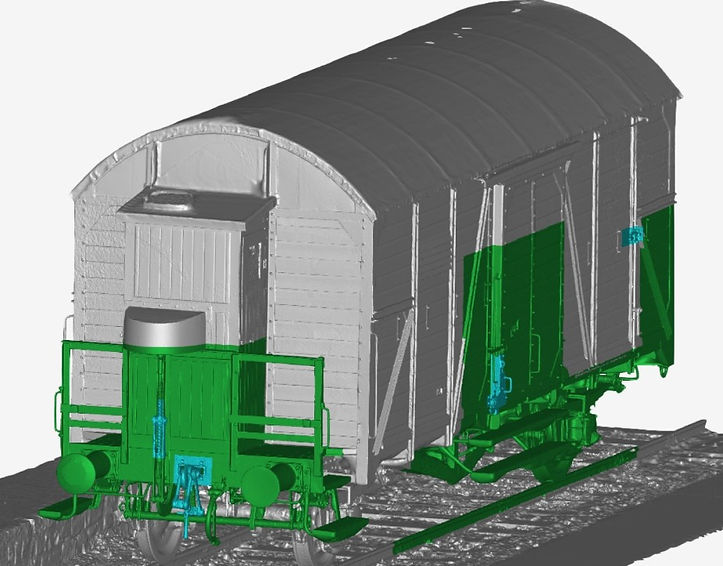
Combine different resolution scans in a single step with Artec Studio Smart Fusion. Now, you can capture the bigger picture with long-range Ray II, fill in any gaps with the handheld Leo, then create a model using the highest resolution data from each.

Phototexturing in Artec Studio 20
- Color and geometry, all in one software
Get the best quality mesh with the inclusion of full-color 3D scan data. With the combination of 3D scan data and photo texturing, your 3D models will be as photorealistic and true-to-form as possible.
Autosurfacing
Auto-surfacing provides a surface-based representation of the object and can be exported to formats such as STEP, but it is intended as reference geometry rather than a substitute for a fully engineered, parametric CAD model.
The resulting model is freeform and closely follows the scanned data, including surface irregularities and deformations present in the original object.

Inspection possibilities in Artec Studio 20
Mesh to CAD Alignment

Distance mapping
Surface comparison evaluates geometric differences between scanned data and CAD reference models by analysing the distance between corresponding surfaces.


Uncover minimum and maximum deviation


Datum Alignment
Datum alignment allows scan data to be aligned to CAD reference geometry based on defined geometric features, facilitating consistent inspection and evaluation.

Tolerance check mode

Thickness Analysis
By analysing opposing surfaces, thickness analysis provides an overview of thickness distribution across the entire 3D model.

Section Analysis

Deviations Labels
Deviation labels can be positioned freely, allowing specific areas to be highlighted.
-
Powered by AI Photogrammetry
Transform images and videos from any device into detailed 3D models, capturing complex surfaces with high accuracy
Not ready to invest in a professional 3D scanner?
Start your journey with Artec Studio 20, a powerful software that lets you transform photos and videos into precise 3D models.
Whether you’re a beginner exploring 3D data capture or a professional seeking advanced tools, Artec Studio adapts to your needs—allowing you to seamlessly transition from camera-based modeling to high-end 3D scanning whenever you're ready.
Fast, AI-powered, true color 3D scanning software.
-
Multiple export options
Export your data to any industry-leading reverse engineering or 3D modeling software in a wide range of formats.
Mesh: OBJ, PLY, STL, USD, E57, AOP, ASC, Disney PTEX, XYZRGB, WRL
Point cloud (Artec Ray II only): PTX, BTX, XYZ
Measurements: CSV, DXF, XML
Constructed CAD primitives: STEP, IGES, X_T, SAT
-
Integration
With Artec Studio, you can directly send your 3D mesh to Solidworks or Geomagic Design X for further processing and reverse engineering, or to Geomagic Control X for analysis, measurement, and quality control.